





Most IBs face the same issues: referrals get lost, tracking isn’t always clear, and conversion pages don’t help much. cTrader Invite solves these problems by giving IBs link sharing, QR tools, a profile page, and real-time referral tracking directly inside the platform.
In this article, we’ll explain how Invite works, how to use it properly, and where it can help you grow your network.
cTrader Invite is an integrated referral solution created for IBs using the cTrader ecosystem. It simplifies the entire onboarding process by replacing external tracking tools and manual follow-ups with a single, streamlined flow.
IBs can share a referral link or QR code that leads traders directly to a dedicated profile page, while registrations and trading activity are automatically monitored in real time as users join and begin trading.
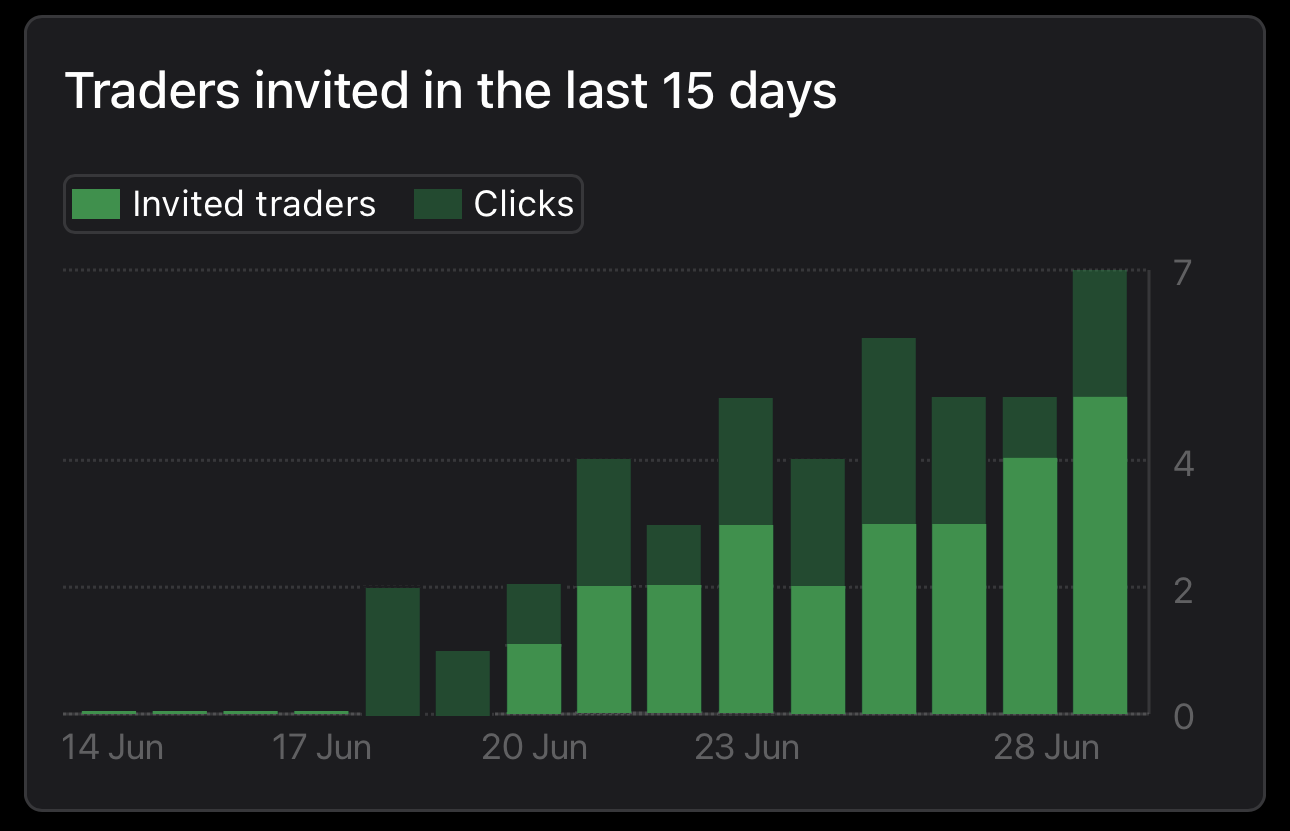
It’s designed to make two things easier:
Invite isn’t a marketing gimmick. It’s a practical tool built for IBs who want a clearer referral flow, better transparency, and fewer headaches when trying to prove “this client came from me.”
Invite is built on a clear principle: traders who join through your link or QR code are automatically associated with you. Each Invite link includes your unique partner identifier, ensuring accurate attribution from the start.
When a trader clicks the link, opens cTrader, or completes registration through it, the system assigns that user to your account, without manual checks or external tracking.
If the broker’s CRM is integrated, this attribution can also sync to the broker side, so the referral isn’t lost along the way.
From your side, the experience is simple:
No complicated setup, no separate tracking software, and much less risk of “the client signed up but didn’t show under my account.”
You don’t need any complicated setup to start using Invite, but a few simple checks help everything work smoothly.
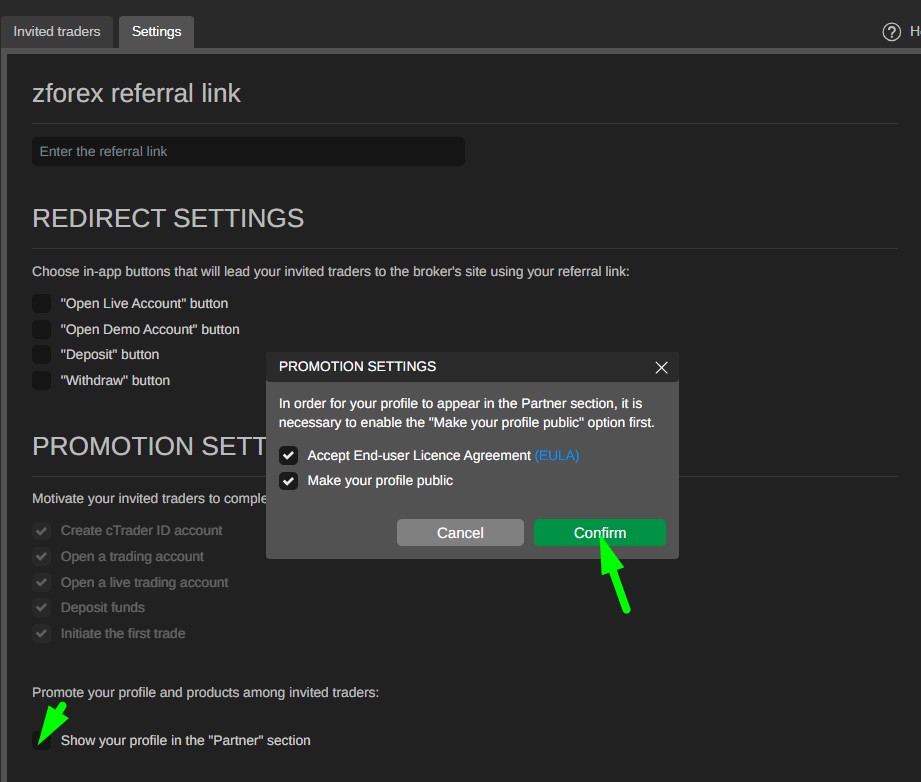
First, make sure you’re using your broker-branded cTrader platform. A simple setup flow looks like this:
Once this part is done, you’re ready to start creating shareable links and attracting referrals using Invite.
Anyone can share a referral link. The difference is whether that link leads to funded, active clients. Invite lets you create simple, trackable links, but how you use them matters just as much as the tool itself.
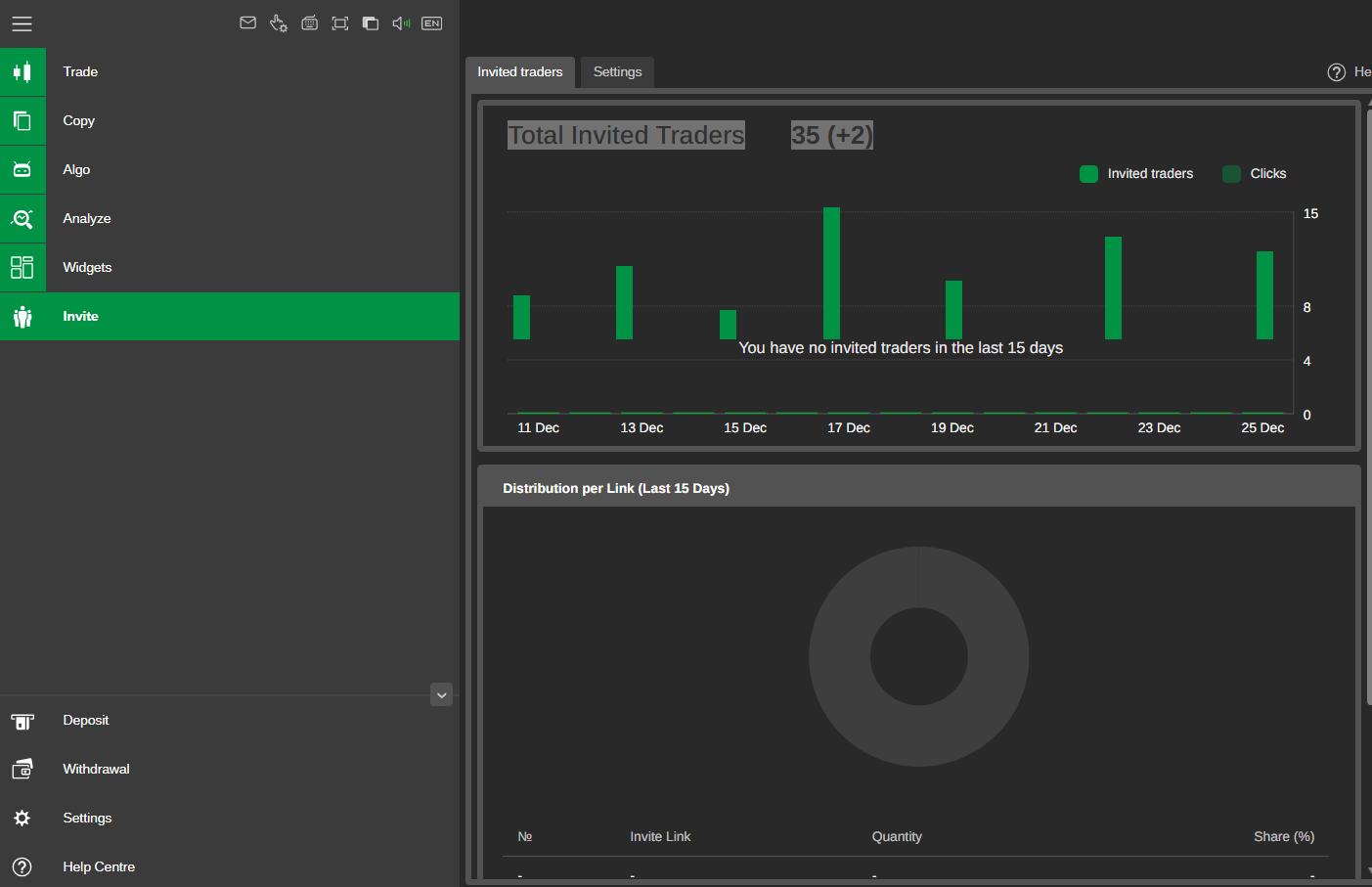
There are generally two useful link approaches:
To improve conversion, treat Invite links like part of a small campaign rather than random shares:
The goal is simple: when someone sees your link, they should immediately understand what they’ll get and why it’s worth opening.
QR codes are one of the most practical parts of cTrader Invite, especially when you’re dealing with offline interactions or quick mobile sign-ups. Instead of sending someone a link later or hoping they remember your page, they can simply scan and get started immediately.
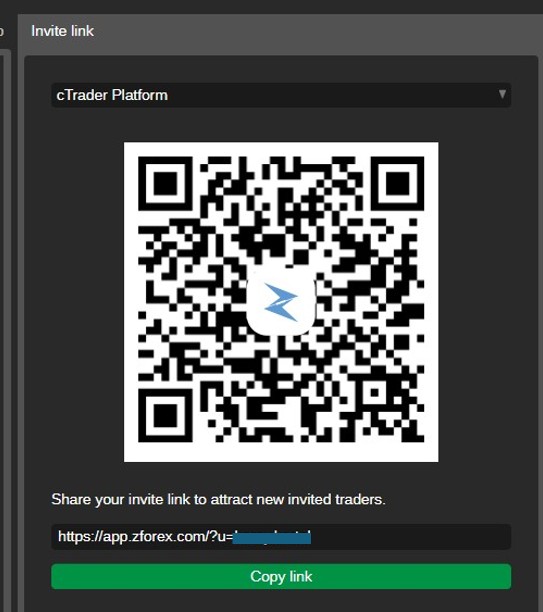
QR codes work particularly well in situations like:
To keep things clean and effective, a few simple habits help:
The idea is to remove friction. If someone is interested, they shouldn’t need to search, type, or ask twice. A quick scan should be enough.
Once you start using Invite links and QR codes, the real value comes from seeing what happens next. cTrader Invite lets you track invited traders in real time, so you’re not guessing whether someone registered, funded, or stayed inactive.
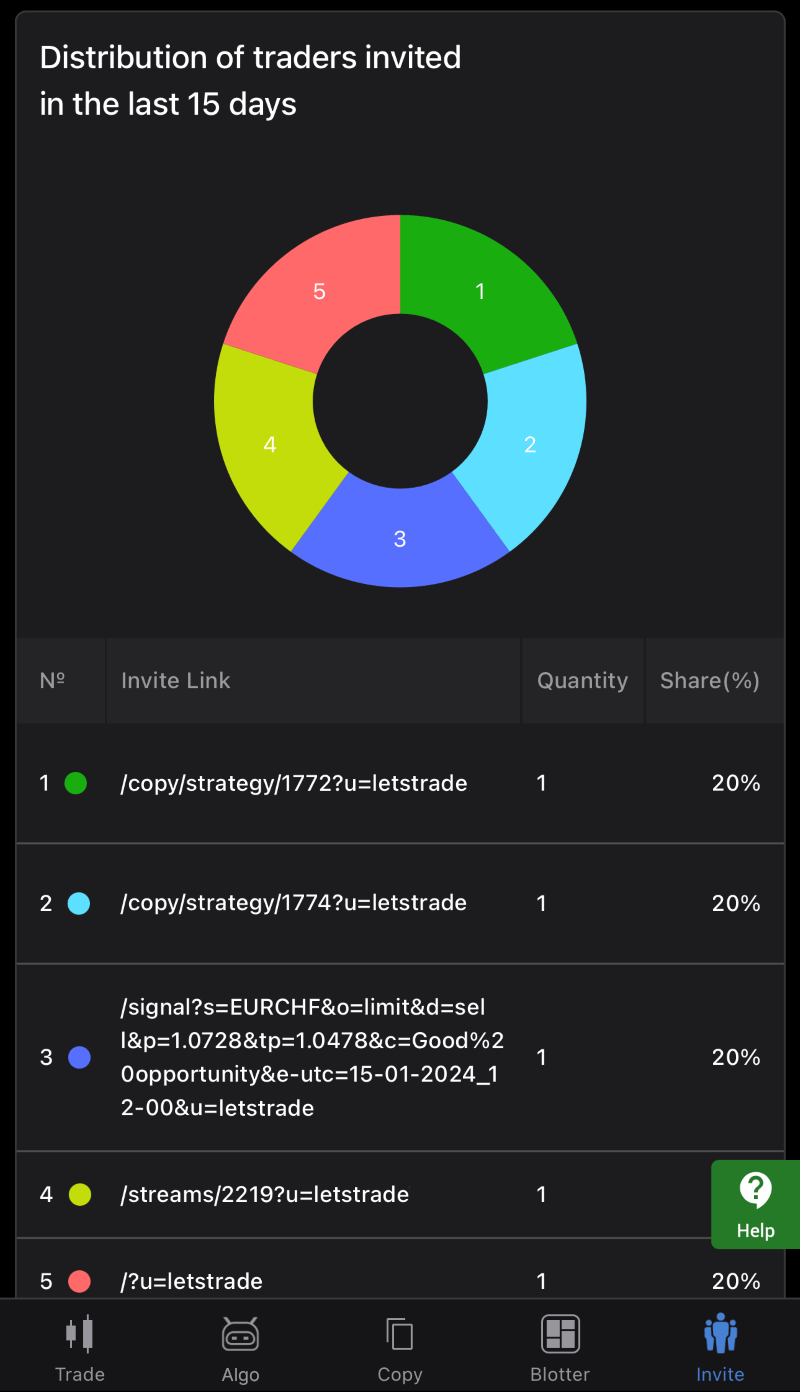
A simple way to think about your funnel is in stages:
If one stage is weak, that’s your signal. Maybe your message isn’t clear, maybe the wrong audience is seeing your link, or maybe you need better onboarding communication.
Even with a solid setup, sometimes referrals don’t track as expected or a user says they “signed up but didn’t appear under your account.” Most issues come from a few common scenarios.
Here are quick fixes and visual examples to help.
This usually happens when:
Quick fix
This happens when:
Quick fix
This isn’t a technical issue, but a funnel one. It usually means:
Quick fix
What is the difference of cTrader Invite from similar tools?
cTrader Invite is built directly into the trading platform, so referrals, QR codes, and tracking work natively without extra plugins, landing pages, or third-party systems.
Do Invite links work if the trader already has cTrader installed?
Yes, but they still need to continue through the Invite flow and complete onboarding with your broker environment for attribution to apply. If they simply open cTrader without finishing the flow, tracking may not register.
Can I create multiple Invite links and QR codes for different campaigns?
Yes. You can generate dedicated links or QR codes per campaign, channel, or audience. This helps you track which efforts perform better and improves attribution clarity.
Why can’t I see my referral even though they say they registered?
Most of the time it’s because the user registered outside the Invite flow, tracking was stripped by a short link, or they were already a broker client before using your link. Asking them to register again via your Invite page usually solves it.
Is cTrader Invite useful only online, or also offline?
It works perfectly for both. Online you can share links; offline you can use QR codes on event stands, printed materials, or even messaging groups. Both still track under your IB profile.
Sign up in seconds for free, access your platform, and start trading with ease.

 Why Precious Metals Softened During War
Precious metals weakened during the war as investors moved into cash. Liquidity need, margin calls, and shifting positioning explain the market reaction.
Detail Weak Dollar Strategy and Global Financial System
Why the weak dollar strategy matters for oil prices, inflation, and global markets, and what happens if the US dollar keeps strengthening.
Detail Oil Shock and Growing Recession Risk
Oil shock returns. What comes next for the global economy? Could rising energy prices trigger a recession?
DetailThen Join Our Telegram Channel and Subscribe Our Trading Signals Newsletter for Free!
Join Us On Telegram!


